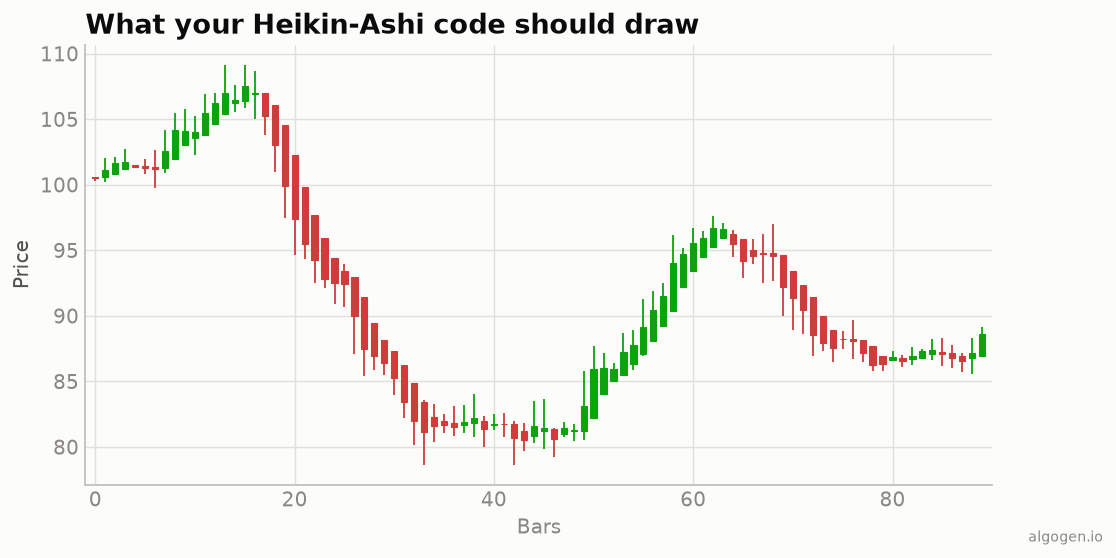
In EasyLanguage, Heikin-Ashi is a PlotPaintBar study: you compute the four HA values
and paint bars with them. The recursive open uses EasyLanguage’s ability to reference a
variable’s own prior value. See the explainer.
What you’ll need
- TradeStation or MultiCharts
- The EasyLanguage / PowerLanguage Editor, a new ShowMe/PaintBar study
The source
{ AlgoGen Heikin-Ashi — TradeStation / MultiCharts }
variables:
    HAClose( 0 ), HAOpen( 0 ), HAHigh( 0 ), HALow( 0 );

HAClose = ( Open + High + Low + Close ) / 4;

if CurrentBar = 1 then
    HAOpen = ( Open + Close ) / 2            { seed the first bar }
else
    HAOpen = ( HAOpen[1] + HAClose[1] ) / 2; { recursive: prior HA open & close }

HAHigh = MaxList( High, HAOpen, HAClose );
HALow  = MinList( Low,  HAOpen, HAClose );

PlotPaintBar( HAHigh, HALow, HAOpen, HAClose, "HA" );

if HAClose >= HAOpen then
    SetPlotColor( 1, Green )
else
    SetPlotColor( 1, Red );
PlotPaintBar( high, low, open, close, ... ) paints an OHLC bar from the four HA values,
and SetPlotColor colours it by whether the HA candle closed up or down. HAOpen[1] and
HAClose[1] are the previous bar’s values — the recursion that does the smoothing.
The recursive open
The one subtlety is HAOpen = (HAOpen[1] + HAClose[1]) / 2. EasyLanguage lets a variable
reference its own previous value (HAOpen[1]), which is exactly what Heikin-Ashi
requires — each open is the midpoint of the previous HA candle’s body. The
if CurrentBar = 1 seed handles the very first bar, which has no prior value to read.
Gotchas
- Seed on
CurrentBar = 1. Without it,HAOpen[1]on the first bar is undefined and the whole series drifts. HAOpen[1]references the HA open, not the raw open. That self-reference is the point; don’t substitute the marketOpen[1].PlotPaintBarargument order is high, low, open, close — easy to transpose.- HA values are averages. For actual entries and stops, read the real
Close/Open.
A trend-colour ShowMe
If you’d rather not repaint bars, a simple ShowMe that dots the chart on colour flips:
if HAClose >= HAOpen and HAClose[1] < HAOpen[1] then
    Plot1( Low, "HA turned up" );
if HAClose < HAOpen and HAClose[1] >= HAOpen[1] then
    Plot2( High, "HA turned down" );
That marks the bar where the Heikin-Ashi colour flips — a cleaner trend-change cue than raw candles give, and an easy thing to backtest in AlgoGen.
Same candles elsewhere: Python, MQL5, Pine Script, NinjaScript.
This post is educational, not financial advice. Indicators describe the past; they don’t predict the future. Backtest anything before you risk real money on it.
Sources and further reading
- What is EasyLanguage? (TradeStation)